Customer support in every language: how Spiiksi translates your support chats both ways
Your customers write in their own language, your agents answer in theirs, and Spiiksi translates both ways as they type. Here is how it works, and how to connect it to Zendesk, Freshdesk, Salesforce, Genesys, Microsoft Teams, your phone lines and your own website.
Spiiksi8 min read
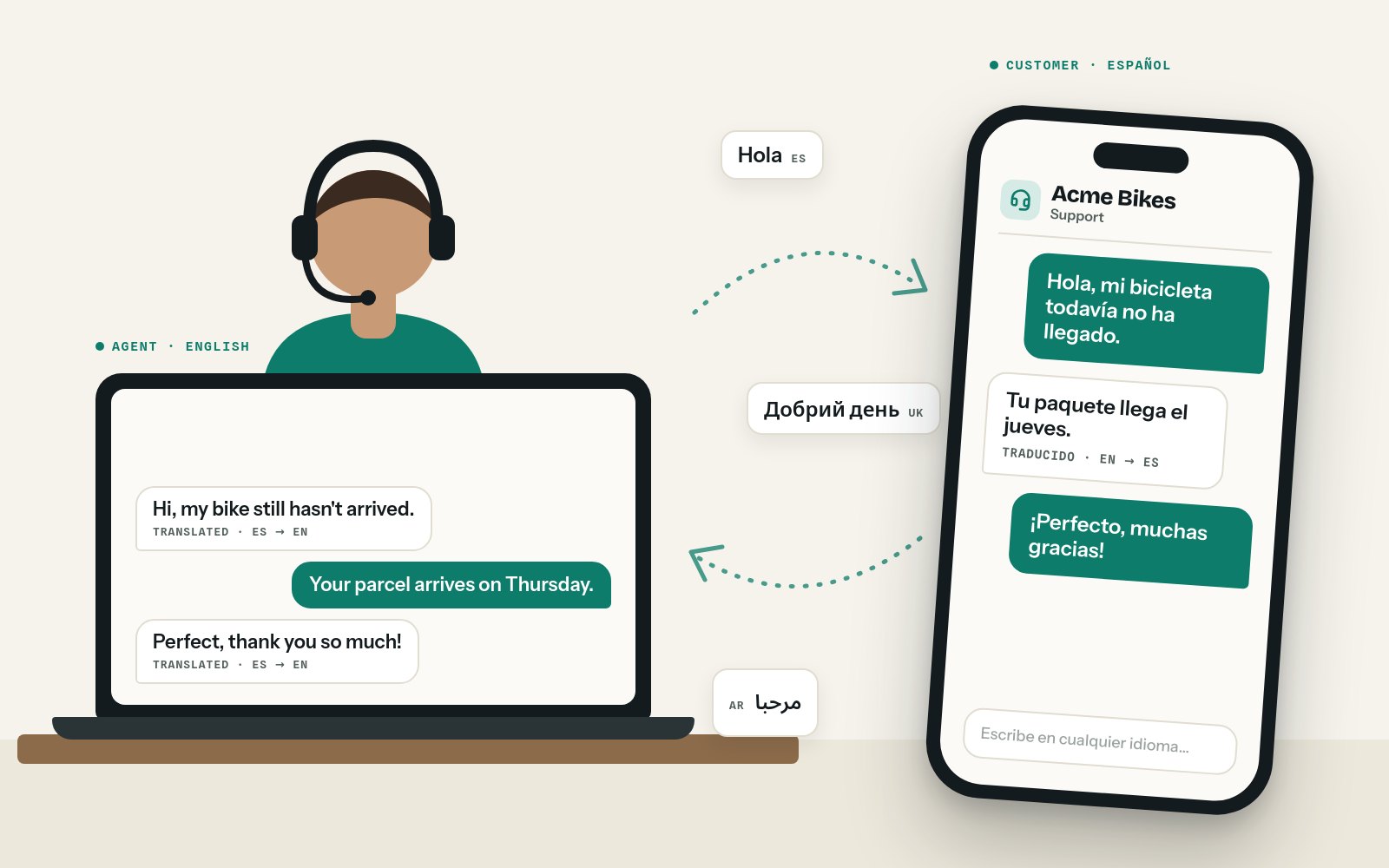
A message arrives in your support inbox: "Hola, pedí una bicicleta hace dos semanas y todavía no ha llegado." Nobody on the team speaks Spanish.
What happens next is familiar. Someone copies the message into a translation website, writes an answer in English, translates it back, pastes it in and hopes it reads naturally. The customer replies, and the copying starts again. Every round takes minutes, the answers sound stiff, and the customer's name and order details have passed through a browser tab nobody keeps track of. Or the message simply waits until the one colleague who speaks some Spanish is back on shift.
Spiiksi's support desk takes that loop away. The customer writes in their own language. Your agent reads it in theirs and answers in theirs. Each side sees the other's words translated the moment they are sent. When typing isn't enough, the same conversation becomes a voice or video call, interpreted both ways. This post walks through how it works and how to connect it to the tools you already use.
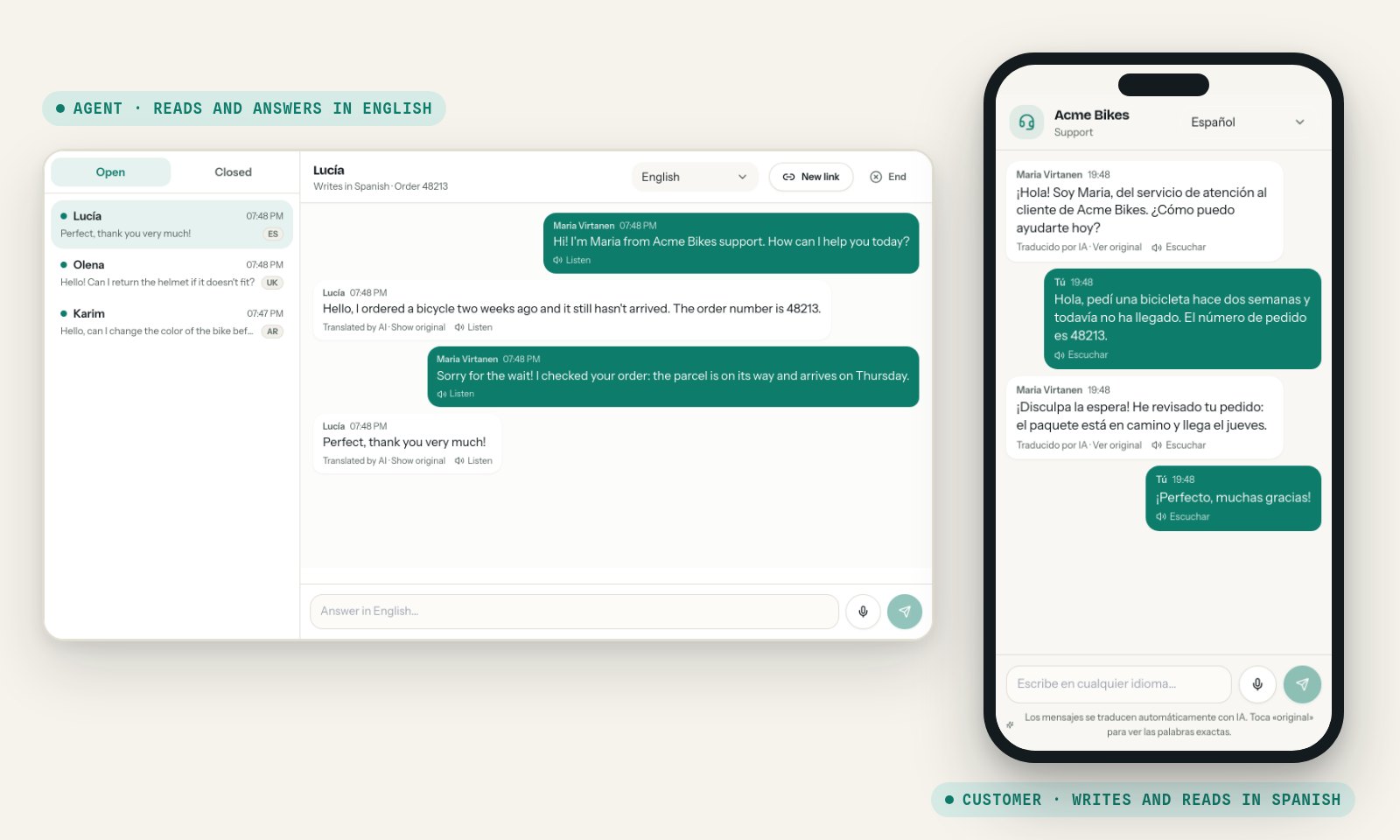
How one conversation works
- Start a conversation. In the Support desk, press New conversation and choose the language you work in. If you like, add the customer's name and your own reference, such as a ticket or order number. You can set the customer's language too, or leave it for Spiiksi to recognize.
- Send the customer the link. You get a link to the conversation. Send it by text message, by email or in any chat you already use. The customer opens it on their phone or computer. There is no app to install and no account to create.
- The customer writes in their own language. Spiiksi recognizes the language from their first message. If you greeted them before they wrote, your greeting now appears in their language too. They can also choose their language from a menu at the top of the chat.
- You read it in your language, and answer in it. The customer's message appears in your language, and your answer reaches them in theirs. Both of you see new messages straight away, and you each see when the other is typing.
- End the conversation when you are done. The customer sees that it has ended and can no longer write in it.
Every translated message is marked Translated by AI, on both sides, with the original one tap away. If a word looks odd, either of you can see exactly what was written.
Customers can write in dozens of languages, from Spanish, Ukrainian and Polish to Arabic, Persian, Vietnamese and Chinese.
Speak instead of typing
Some customers would rather talk than type, especially on a phone or in a language their keyboard doesn't have. Both sides can send voice messages of up to two minutes: tap the microphone, speak, and tap again to send. Spiiksi writes down what was said and translates it like any other message.
Any message can also be read aloud with Listen, in the reader's own language. That helps customers who find reading hard, and anyone who would rather listen.
What your agents see
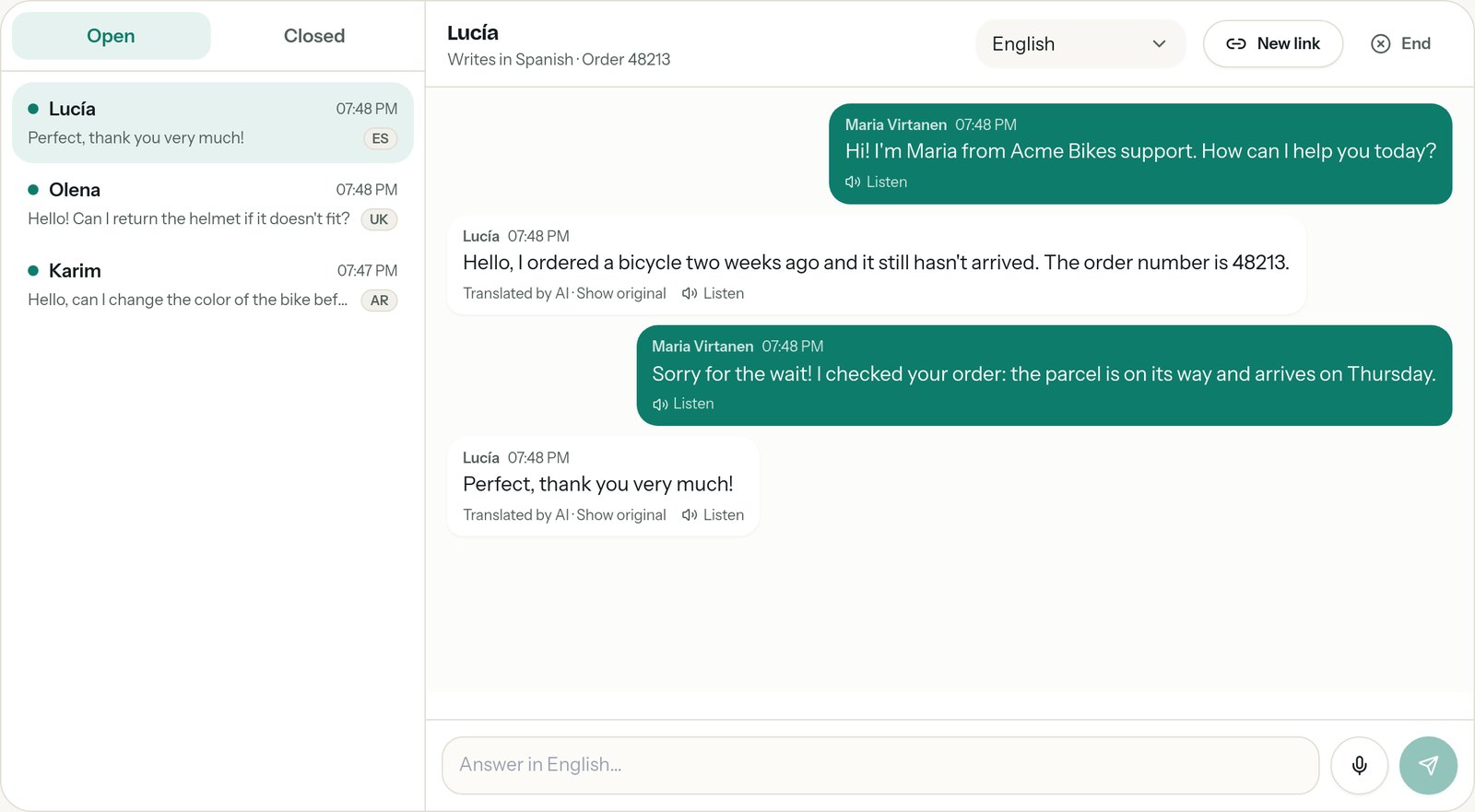
- Every open conversation in one list. A dot marks the customers who are waiting for an answer. Each conversation shows the customer's language and their last message, translated.
- Each agent works in their own language. Choose your language at the top of the conversation. Two agents can share one conversation, one reading Finnish and the other Swedish, and the customer's messages are translated for each of them.
- A new link if the first one went astray. If you sent the link to the wrong address, make a new one. The old link stops working at once.
- A call when it's easier to talk. Press Call in a conversation, and the customer gets a link to a voice or video call in the chat. Each of you speaks your own language and hears the other interpreted into yours, both ways at once.
Works with the tools you already use
The support desk works on its own, but you don't have to move your support into it. Spiiksi connects to the helpdesks, contact centres, phone lines and chat tools your team already works in. Organization admins set them up under API & integrations in the dashboard, and the developer docs walk through each one step by step.
Helpdesks and CRM
- Zendesk. A sidebar app on every ticket: start a translated call with the customer, and translate their comments and your replies without leaving the ticket.
- Freshdesk. The same sidebar app for Freshdesk tickets.
- Salesforce. A component for Case pages that starts a translated call with the case's contact, with the customer's link ready to copy or email.
- Genesys Cloud. A data action that starts a translated call from your Genesys flows and scripts.
Phones and team chat
- Phone numbers through Twilio. Customers call your number, choose their language from a spoken menu, and your agent answers in theirs. Calls can be dialled out too, and SIP trunks routed through Twilio work the same way.
- Your own phone system (SIP). An Asterisk PBX connects directly, so calls on your existing lines are interpreted both ways.
- Microsoft Teams. Mention Spiiksi in a channel: "call es" starts a call with a Spanish speaker and posts the links, "translate de: …" translates a message.
Your website and your own systems
- A chat button on your website. Add one script tag to your site. When a visitor presses the button, your own server opens a Spiiksi conversation with your API key, and the chat opens on your page. The key never reaches the visitor's browser. Your agents answer in the support desk.
- Calls and chats inside your own pages. The JavaScript SDK opens a call or a chat in a pop-up or any part of your page, and tells your page when the other side joins and when it ends.
- Spiiksi in the middle of your own chat. If you already run a chat or a helpdesk, it can send each message to Spiiksi, from the customer or from the agent, and get it back translated for the other side. Your agents keep working where they always have.
- Notifications to your own systems. Spiiksi tells your server when a call or a conversation starts, when a message arrives and when it ends. Each notification is signed, and one that doesn't arrive is retried for up to a day and a half.
- Plain text translation. For tickets, emails and saved replies, one request translates a text, or up to 100 texts at once. Spiiksi recognizes the original language. You can add a sentence of context, and a list of your own terms, such as product names, with how each should be rendered.
- Apps for many organizations. If you build an app that other companies install, each of them connects it to Spiiksi with OAuth, without handing over an API key.
Translating one message takes a single request:
curl https://api.spiiksi.fi/v1/translate \
  -H "Authorization: Bearer $SPIIKSI_KEY" \
  -H "Content-Type: application/json" \
  -d '{"text": "Hola, mi bicicleta todavía no ha llegado.", "target": "en"}'
The answer has the translation and the language Spiiksi recognized. Start with the quickstart, and try everything free with a test key before going live. Every endpoint is in the API reference.
Privacy and trust
Support conversations carry names, addresses and order numbers, so the support desk keeps as little as it can, for as short a time as it can.
- Only the customer can open their chat. The link carries a key that works for that one conversation. Making a new link cancels the old one.
- Messages are deleted after 30 days. Conversations are kept for 30 days by default, then deleted. Through the API you can choose anything from one day to a year, or delete a conversation for good at any time.
- Voice recordings are not kept. A voice message is turned into text, and the recording is discarded.
- Customers know it's AI. The customer's page says that messages are translated automatically by AI, and every translation shows the original on request.
- Your conversation, not our marketing. The customer's page shows your company's name and the conversation. There is no Spiiksi cookie banner or help button on it, even when it opens inside your website.
AI translation is very good, but not perfect. Spiiksi keeps names, numbers, order numbers, email addresses and links exactly as written, so the details that matter most come through unchanged. If something reads oddly, Show original is always there.
Try it today
- Create a free account, or sign in.
- Open the Support desk, press New conversation and choose your language.
- Send the link to a colleague, ask them to write in another language, and answer in yours.
- When you are ready to connect your helpdesk, phone lines or website, open API & integrations and follow the developer docs.
Your customers shouldn't have to wait for the one colleague who speaks their language, and your agents shouldn't spend their day copying text between browser tabs. With Spiiksi, everyone writes in the language they know best, and the conversation simply works.
Create a free account and try it with your next customer. Questions? Ask us with the help button at the bottom of this page.
This post and its illustrations were made with AI assistance and reviewed by the Spiiksi team.